
Count Stripe payments
Send Stripe Checkout or Payment Link buyers to a thank-you page on your own site and count the purchase there, because there is no Stripe connection to set up.
About 10 minutes
Luria does not connect to Stripe and never reads your Stripe account. There is no Stripe integration to switch on, no keys to paste, no orders pulled from Stripe. A purchase is counted on the page your customer lands on after paying. That page lives on your own site, carries the Luria snippet, and either calls window.luria.convert or matches a URL Luria recognises on its own.
Stripe shows up inside Luria in exactly one place: as the card processor for your own Luria subscription, billed on luriart.com.
What you'll need
- The Luria snippet on your site, including on the thank-you page (Install on a custom site)
- A thank-you page on the domain you registered with Luria, or a subdomain of it
- Access to the Stripe Dashboard, or to the code that creates your Checkout Sessions
Steps
Step 1: Build a thank-you page on your own domain
Create the page customers should see after paying. Put the Luria snippet in its <head>, the same tag as on every other page.
It must be on the domain you registered with Luria, or a subdomain of it. Conversions sent from any other domain are rejected, so a Stripe-hosted confirmation page cannot report anything.
Step 2: Send Stripe customers to that page
Where the setting lives depends on how you take payment:
| How you take payment | Where to set the page |
|---|---|
| Payment Links, no code | Stripe Dashboard, open the link, "After payment", choose to redirect to your own page and enter the URL |
| Checkout Sessions, code | The success_url parameter when you create the session |
| Buy buttons, pricing tables | They sit on a Payment Link, so set it on that link |
success_url: "https://yoursite.com/order-complete?session_id={CHECKOUT_SESSION_ID}"Query strings are fine. Luria matches on the path, not the query.
Step 3: Put the conversion line on the thank-you page
Add this once, anywhere in the page, with the order value filled in from your own template in your store's currency. Stripe does not put the amount in the URL, so your template has to supply it.
<script>
  (function wait(n) {
    if (window.luria) return window.luria.convert("purchase", 129.00);
    if (n < 50) setTimeout(function () { wait(n + 1); }, 200);
  })(0);
</script>
The snippet loads asynchronously, so the loop waits for it, up to about ten seconds. No value to pass? Use window.luria.convert("purchase").
Call it once. A reload runs it again and adds a second conversion.
If you'd rather write no code
Name the page /thank-you or /thank_you and skip the script. Luria counts that visit as a conversion on its own, once per browser, with no value attached. Auto-counted conversions appear in your totals but are not used to score your split tests, so the line above is the better path.
Verify it worked
- Open your site in a private window with blockers off, accept the consent banner if one appears, then complete a test payment and land on the thank-you page.
- Sign in at luriart.com/app. On Overview, "Conversions this period" goes up by one and your value shows in tracked revenue.
- Open the Customers tab. The converted session is in the table with its source, first seen, and value.
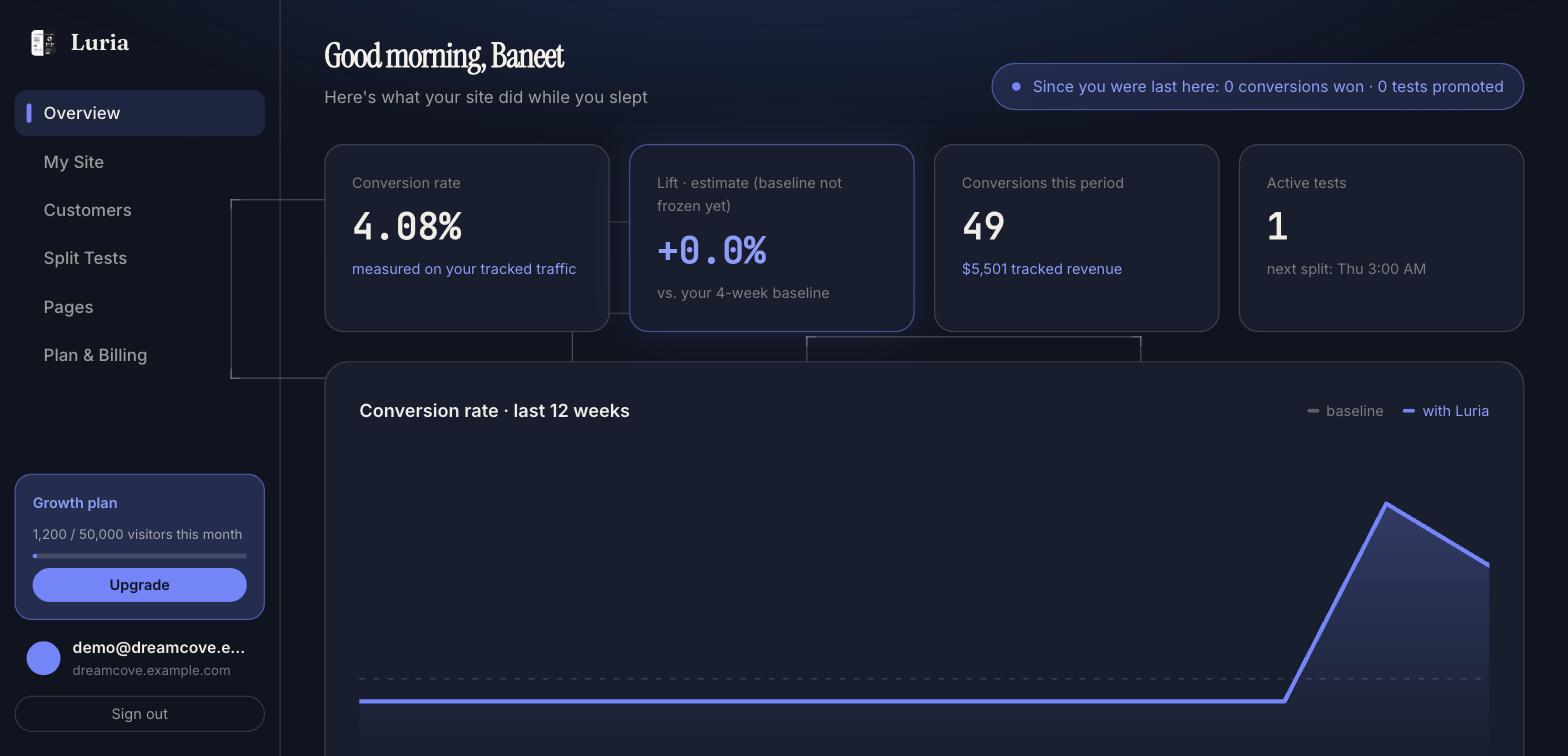
Full checklist: Verify your install.
Common failures
- Nothing counted. The snippet is missing from the thank-you page's
<head>, or the site ID in the tag is wrong. View source and check both. - Thank-you page on another domain. A page on a builder's domain or a Stripe-hosted confirmation cannot report to your site. Host it on your own domain.
- Counted twice. The line is on the page twice, or it ran again on reload, or you put it on a path Luria already auto-detects so both fired. See Duplicates.
- Counted once, then never again on that device. You relied on auto-detect. It fires once per browser for a plain
/thank-youpath. Use the conversion line. - Testing with Global Privacy Control, Do Not Track, or an ad blocker on. Luria collects nothing in that browser, and
window.lurianever appears. - Expecting refunds or disputes to flow back. They do not. Luria never reads Stripe, so a refunded payment stays counted.
Next steps
Install with Google Tag Manager
Load Luria from a Custom HTML tag on All Pages, and fire the conversion from a second tag on your thank-you trigger.
Count PayPal payments
Return PayPal buyers to a thank-you page on your own site and count the purchase there, because there is no PayPal connection to set up.